Epireum's Data Engineering Lab
A complete data platform on your laptop.
Epireum's Data Engineering Lab is a real, company-style data platform — object storage, a governed lakehouse, Spark, SQL, orchestration and BI — that runs on your own machine with one command. Clone it, sign in, and you're working the way a data engineer works at a real company: your own workspace, shared company data, and everything behind one login.
⬇ Get the lab (GitHub) ▶ Start the course 📚 Course overview 💬 Join the Discord
Highlights — learn it here, use it on Fabric, Databricks & Snowflake
Cloud platforms charge by the hour, and their free tiers run out before you've really learned anything. This lab gives you the same building blocks — a lakehouse, Spark, SQL warehouses, pipelines, governance and BI — on your own machine, free and with no time limit. Learn the concepts properly here, then walk into Microsoft Fabric, Databricks or Snowflake already knowing why things work, not just which button to press.
-
🚀 Upskill for the cloud platforms
Every lesson ends with how the same thing works on Databricks, Snowflake, Fabric and Azure. Medallion, Delta/Iceberg tables, catalogs and grants, notebooks, jobs and dashboards — you practise the ideas those platforms are built on.
-
🧮 Practise SQL like at work — OLTP and OLAP
OLTP: query real operational databases (PostgreSQL — the ShopFlow shop and AdventureWorks), read-only like production, in SQLPad. OLAP: run big joins, window functions and CTEs over the lakehouse with Trino, and write your own tables there with
INSERT/UPDATE/MERGE. Each SQL lesson shows the T-SQL (Fabric Warehouse / Synapse), Spark SQL and Snowflake version too. -
🧊 A governed lakehouse
Apache Iceberg tables in object storage, governed by Apache Polaris — catalogs, schemas, grants and sharing: the same model as the Databricks catalog and Snowflake roles.
-
🏢 Works like a company platform
One sign-in for every tool, your own workspace, shared company data, and roles — members and a
managerwho administers everyone. The same shape you'll meet at work. -
⚡ The tools teams actually use
Spark in Jupyter, Trino for SQL, Airflow for pipelines, Superset for dashboards, SQLPad for quick SQL — wired together, nothing to configure.
-
💸 Free, open source, offline
Runs on Docker on your laptop (or Kubernetes for a class). No cloud account, no credit card, no surprise bill — break things and start again for free.
Same skills, different logo
What you use here, and what it's called on the platforms you're aiming for:
| You practise here | Microsoft Fabric | Databricks | Snowflake |
|---|---|---|---|
| Object storage + Iceberg tables | OneLake + Delta tables | cloud storage + Delta Lake | managed storage, Iceberg tables |
| Polaris catalogs, grants, sharing | Fabric workspace roles + OneLake security, Purview | the Databricks catalog | databases, schemas, RBAC roles |
| Jupyter + Spark | Fabric notebooks (Spark) | Databricks notebooks | Snowpark |
| Trino — analytical SQL (OLAP) | SQL analytics endpoint / Warehouse (T-SQL) | SQL Warehouse | virtual Warehouse |
| PostgreSQL + SQLPad — operational SQL (OLTP) | SQL database in Fabric (T-SQL) | Lakebase (Postgres) | Hybrid tables |
| Airflow DAGs | Data Factory pipelines | Workflows / Jobs | Tasks |
| Superset dashboards | Power BI | AI/BI dashboards | Snowsight |
| Bronze → Silver → Gold | medallion on OneLake | medallion (their term) | raw → staging → marts |
The full map, with what's different on managed platforms, is in 14.1 OSS ⇄ Databricks / Snowflake / Fabric / Azure.
A quick tour
1 · One sign-in for everything
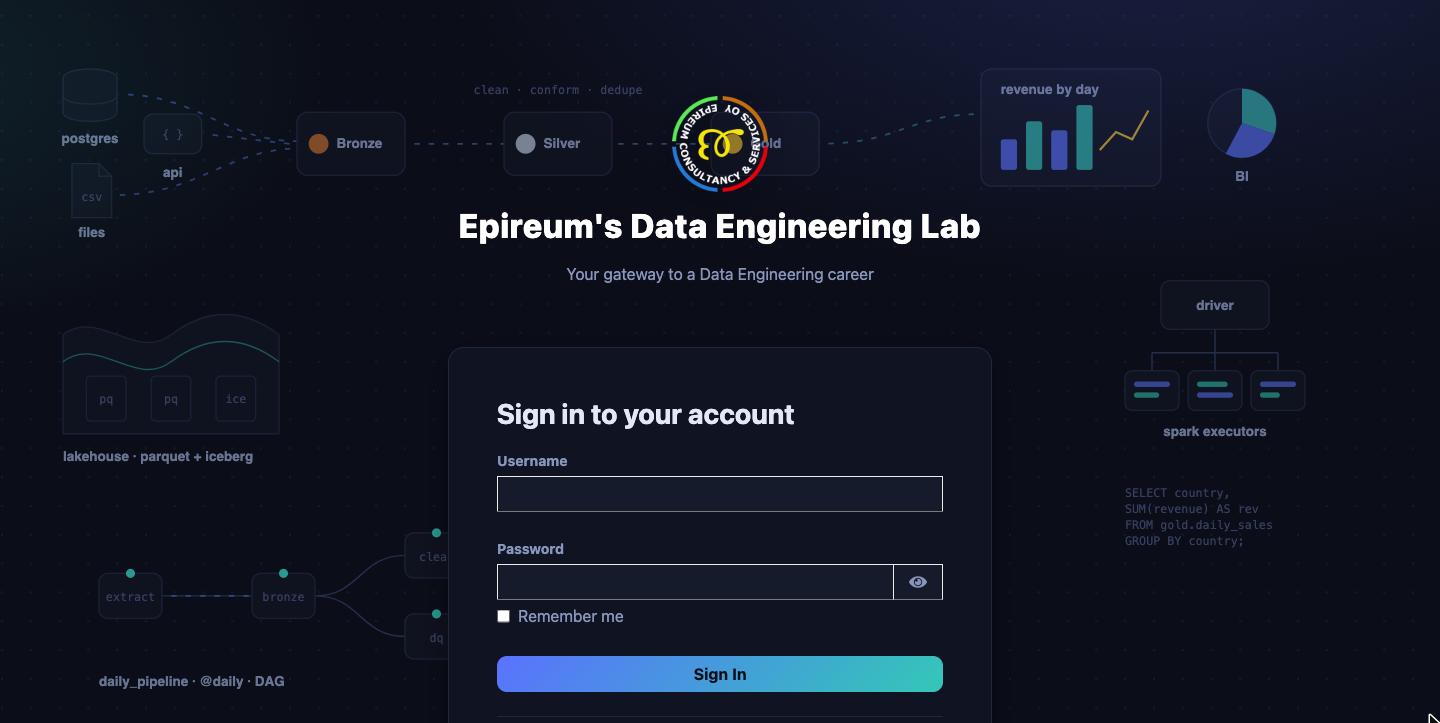
Every tool — Jupyter, Airflow, Superset, SQLPad, the Polaris Console and the storage console —
uses the same lab account. On your laptop, sign in as demouser / demouser (every course
example is written for it), or Register your own.
2 · The home page — your platform at a glance
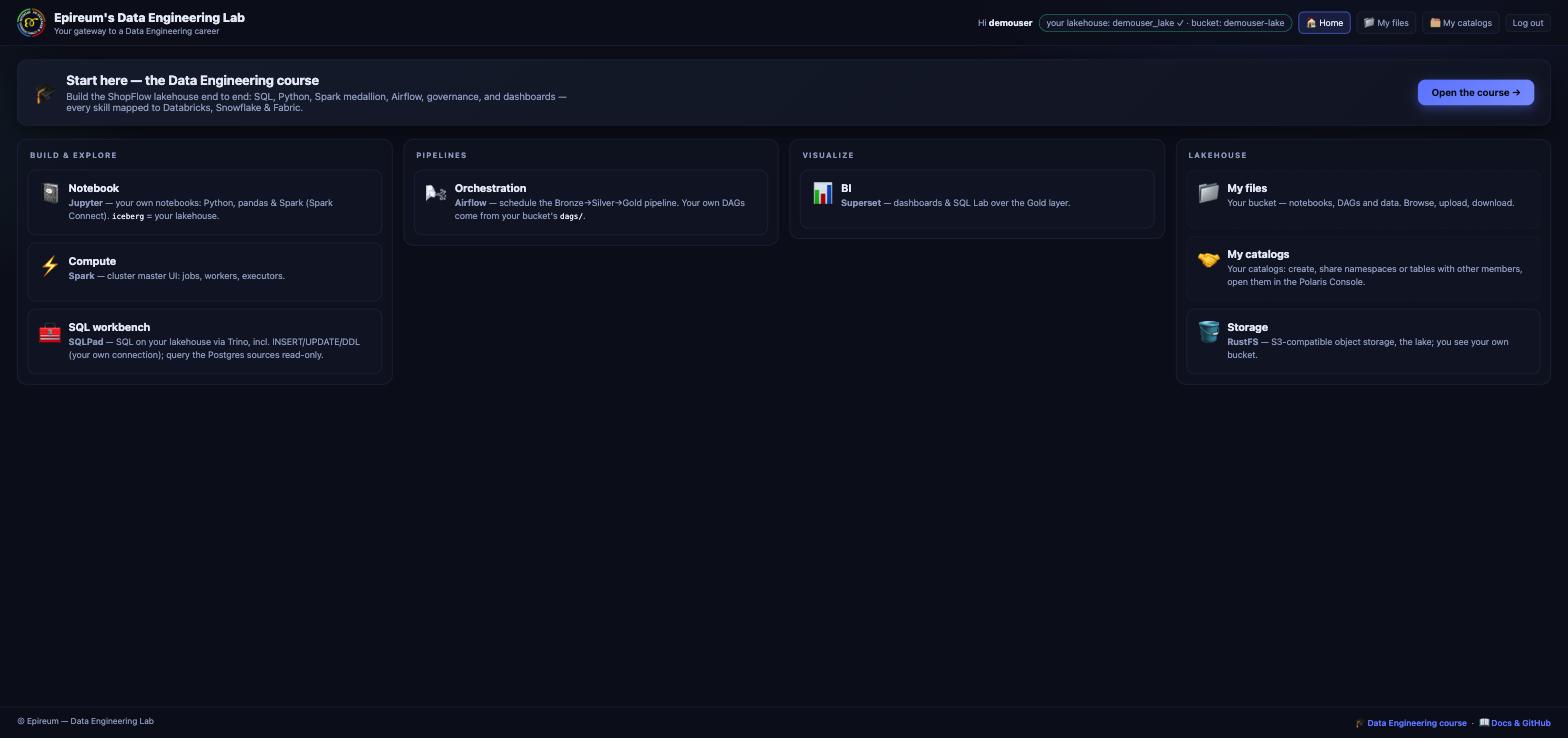
After signing in you land on the lab home: the tools grouped the way a data team thinks about them — Build & explore (notebooks, Spark, SQL), Pipelines (Airflow), Visualize (Superset) and Lakehouse (your files, catalogs and storage). The header shows who you are and your own lakehouse and bucket.
3 · My files — your own bucket
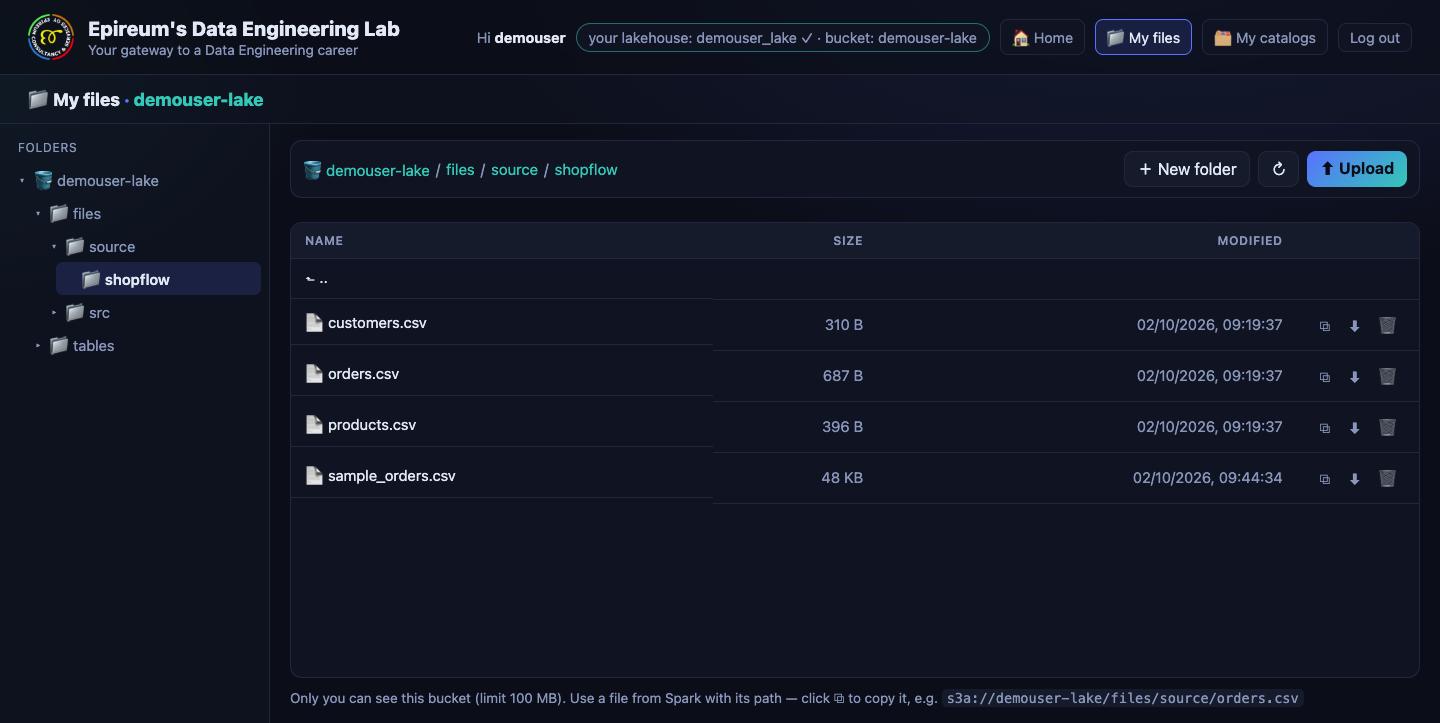
Your code and data live in your own bucket, laid out like a Microsoft Fabric lakehouse:
files/src (notebooks and DAGs — synced with Jupyter and picked up by Airflow), files/source
(raw files to ingest) and tables/ (your lakehouse tables). Upload, download, and copy a file's
path straight into Spark.
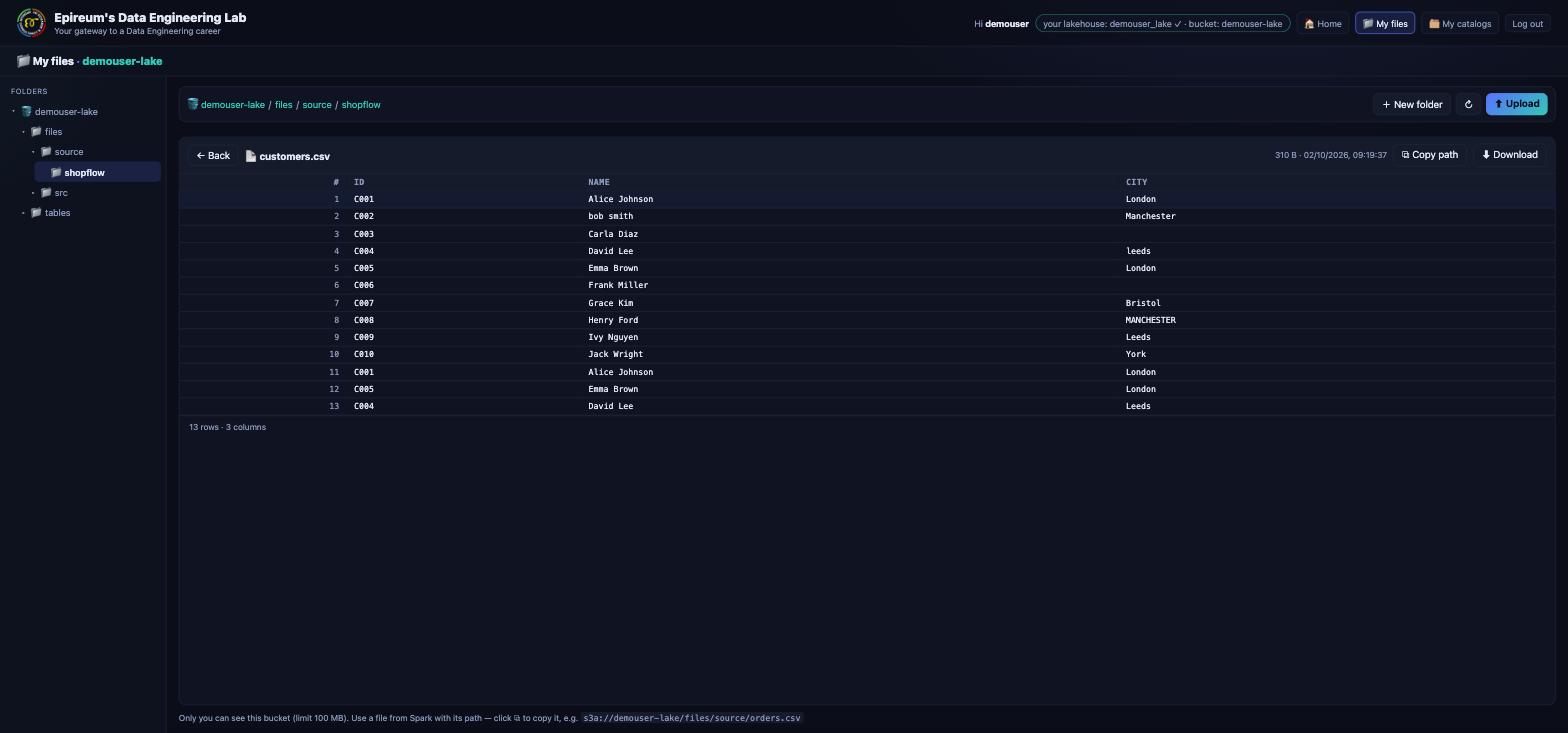
Click any file to view it in place — CSVs as a table, notebooks cell by cell, code as text:
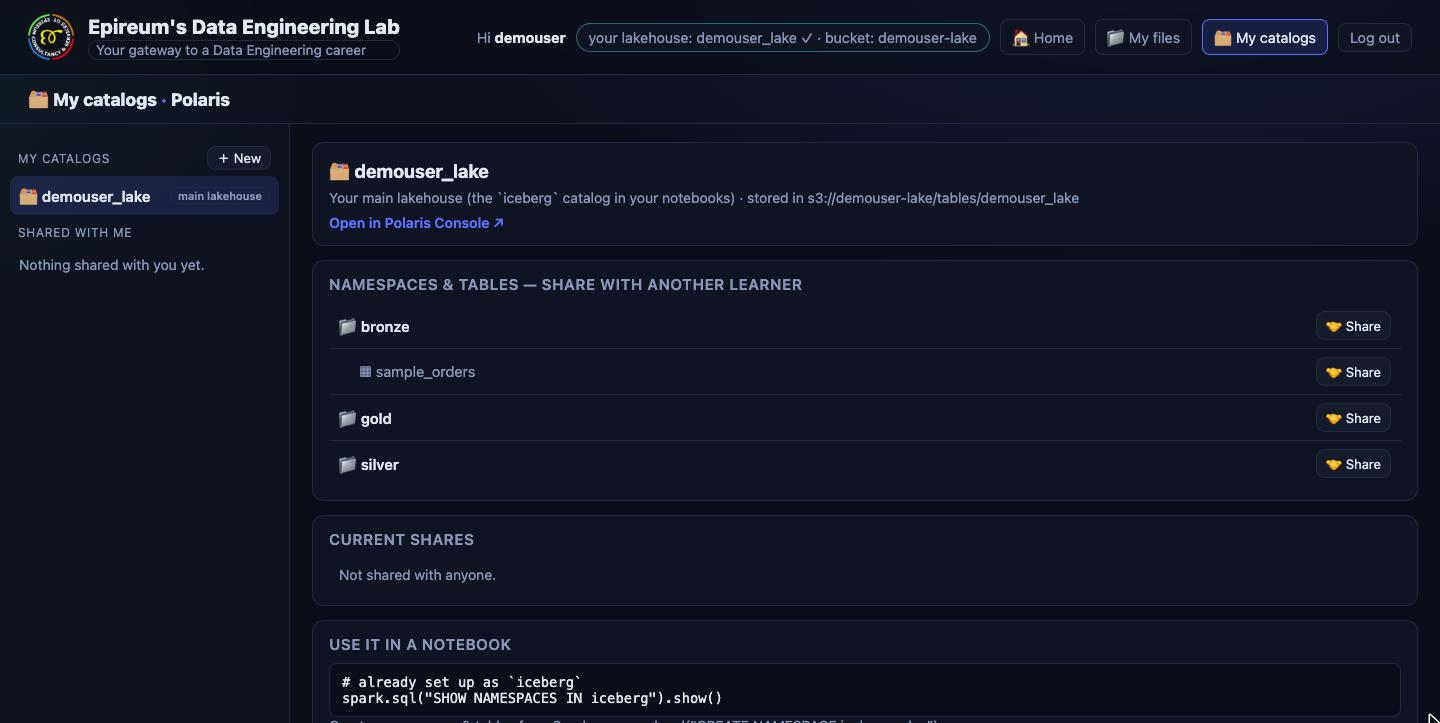
4 · My catalogs — your lakehouse, and sharing
Your lakehouse is a governed Polaris catalog with bronze / silver / gold namespaces
and a sample table ready to query. Create more catalogs, and share a namespace or a single
table — read or write — with a teammate. Polaris enforces it on every query
(9.1).
Who is it for?
-
👤 Individuals
- Career-changers and students — learn data engineering end to end, hands-on, for free.
- Analysts and developers moving into DE — go from SQL to Spark, pipelines and governance.
- Engineers preparing for Databricks, Snowflake or Fabric — learn the concepts on open source first; every lesson shows the cloud equivalent.
- Interview prep and portfolio — build a real medallion pipeline and dashboard you can show and explain.
-
👥 Teams
- Trainers and bootcamps — run a class on Kubernetes: every member gets their own
workspace, and the
manageraccount sees and supports everyone. - Companies onboarding data engineers — a safe sandbox with the same shape as your production platform.
- Platform and data teams — prototype governance, sharing and pipeline patterns before you build them in the cloud.
- Study groups — share tables with each other and review each other's pipelines.
- Trainers and bootcamps — run a class on Kubernetes: every member gets their own
workspace, and the
What's inside
| Layer | Tool | What you do with it |
|---|---|---|
| Accounts | Keycloak | one sign-in for every tool; member and manager roles |
| Storage | S3-compatible object storage (RustFS) | your bucket — raw files, code and table data |
| Catalog & governance | Apache Polaris (Iceberg REST) | your lakehouse, grants, sharing, credential vending |
| Notebooks & compute | Jupyter + Spark (Spark Connect) | Python, pandas and Spark — Bronze → Silver → Gold |
| SQL | Trino · SQLPad | distributed SQL over the lake and the source databases |
| Transformation | dbt (on Spark) | SQL models for Silver and Gold, in dependency order |
| Orchestration | Apache Airflow | schedule your pipelines — DAGs straight from your bucket |
| BI | Apache Superset | dashboards over your Gold tables |
| Sources | PostgreSQL | ShopFlow (the course's online shop) and AdventureWorks |
Get it running
You need Docker with 8 GB of memory and 4 CPUs (12–16 GB and 6 CPUs are comfortable) and about 25 GB of disk.
git clone https://github.com/maarthala/data-engineering-lab.git
cd data-engineering-lab/local
cp .env.example .env
make init      # first run only: downloads Spark/Iceberg jars
make up        # builds and starts the whole lab
make status    # live view; turn units (SQL, Notebooks, Spark, Airflow, …) on and off
make down      # brings it down again, keeping your data (make up to start)
Short on memory? Start small: with the stack down, make status starts just Core (sign-in,
files, catalog), and you switch on only the units you're learning, e.g. Core + SQL for the SQL
units.
Then open http://localhost:8000 and sign in as demouser / demouser. The full walkthrough
— including what to do if something doesn't start — is in 0.2 Bring up the stack.
Stuck? Get help on Discord
Join our Discord to get help with setup or a lesson, share what you built, and meet other learners and data engineers. When you ask, include which lesson or tool, what you ran, and the error — it gets you an answer faster.